
How To Set Shopify Order Limits For BFCM Sales
Set Shopify order limits for BFCM and holiday sales by quantity, cart value, or weight to stop bulk buying and overselling without blocking normal customers.

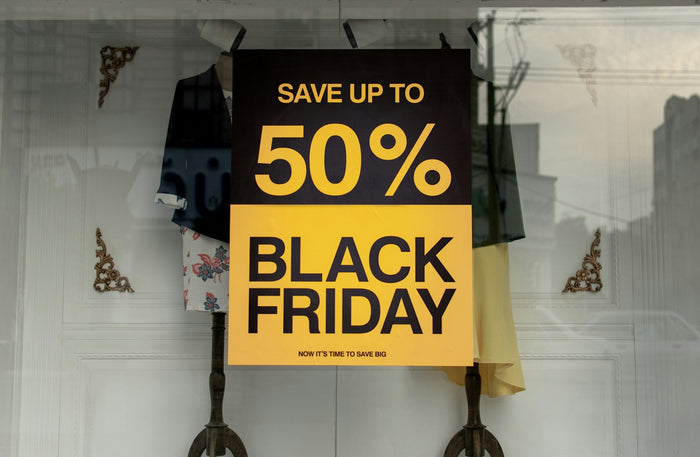
At 6:02 on Black Friday morning, one customer orders 40 units of your doorbuster candle set. By 6:15 it is sold out, and hundreds of regular shoppers arrive to an empty product page. The customer was probably a reseller. Your inventory, your discount, and your best promotion of the year went into one order.
The short answer: Shopify order limits for BFCM work best when they target the specific risk you face, such as bulk buying of discounted items, logistics overload from very large carts, or heavy shipments, while leaving normal orders untouched. Set limits on quantity, cart value, or weight, explain them in plain words, and remove them when the sale ends. This guide shows how to choose limits, set them up with Lavar, and avoid blocking good customers.

Why Order Limits Matter During BFCM
Peak sales events concentrate demand into a few hours, and that changes the risks.
Discounted stock attracts bulk buyers
Deep discounts can make your products profitable to resell. Without limits, a handful of buyers can take stock meant for hundreds of customers.
Overselling becomes more likely
When orders arrive faster than inventory syncs across channels, large orders increase the chance of selling stock you no longer have.
Fulfillment capacity is finite
Very large or heavy orders take longer to pick and pack. During peak weeks, a few oversized orders can delay many normal ones.
Types of Order Limits and When to Use Them
Choose the limit type that matches the problem you are trying to prevent.
| Limit Type | Problem It Solves | Example |
|---|---|---|
| Maximum quantity | Bulk buying and reseller orders | No more than 6 items per order during the sale |
| Minimum quantity | Orders too small to ship profitably | At least 2 items for sample-size products |
| Maximum order value | Unusually large orders during peak | Orders above a set value go through support |
| Minimum order value | Low-value orders on discounted shipping | Minimum cart value during free shipping promotions |
| Maximum weight | Heavy parcels beyond carrier or packing limits | Cap total weight for standard delivery |
| Minimum weight | Shipments below a carrier's practical minimum | Rarely needed, for bulk goods |
Use one limit per problem
Stacking every limit type at once confuses shoppers and makes it hard to tell which rule caused an abandoned cart.
Base numbers on your own order data
Look at last year's peak orders. If very few normal customers bought more than a certain number of items, a limit slightly above that level stops bulk buying without touching regular shoppers.

How to Set Limits That Feel Fair
Customers accept limits when they understand why the limits exist.
Explain the reason
“To keep sale items available for everyone, orders are limited to 6 items” sounds fair. “Maximum quantity exceeded” sounds like a malfunction.
Show limits before the cart
Mention the limit on the product page or in the sale banner. Customers who know in advance are less likely to feel blocked.
Offer a path for genuine large orders
Some large orders come from real customers, such as offices buying gifts for staff. Give them a contact option for bulk or corporate orders.
Timing: When to Turn Limits On and Off
Seasonal limits should be just as temporary as the sale.
Activate before the sale goes live
Turn limits on before early-access emails go out. Bulk buyers often act in the first minutes of a sale.
Remove or relax them after the event
Limits that stay active into normal trading frustrate customers who want to stock up at full price. Put a removal date in your BFCM plan.
Adjust for holiday gifting
In December, normal customers often buy several of the same item as gifts. Consider raising quantity limits after Cyber Monday to reflect gifting behavior.
Practical fit: Lavar Order Limits lets merchants set minimum and maximum limits on total quantity, order value, and order weight on the cart page, with a customizable message when a limit is not met.
How to Set Up Order Limits with Lavar
Lavar applies order limits on the cart page, before customers move to checkout.
Activate the feature
Enable the Lavar app embed in your theme editor. Then, in Lavar, go to Store Optimizations, open Order Limits, click Activate feature, and save.
Configure quantity, value, or weight
According to the Lavar Order Limits guide, merchants can set minimum and maximum total quantity, minimum and maximum order value, and minimum and maximum order weight in kg, g, lb, or oz.
Write the customer message
Customize the message shown when a limit is not met so customers understand why they cannot proceed. Use the reason and the fix: “Sale orders are limited to 6 items. Please remove a few to continue.”
Match the design
Use Appearance settings to match the message colors to your store so it reads as part of the cart.

How to Test Order Limits Before BFCM
Test limits the way real shoppers will reach checkout.
- Add items to the cart just below the limit and confirm checkout is allowed.
- Add items just above the limit and confirm the message appears and checkout is stopped.
- Test the cart drawer and the full cart page if your theme uses both.
- Check product page checkout buttons and express wallets, since paths that skip the cart page may not show cart-level limits.
- Test on mobile and confirm the message is readable near the checkout button.
- Ask a teammate to read the message and confirm they understand what to change.

When You Need Product-Level Control
Cart-wide limits are simple, but some sales need more targeted handling.
Only a few products are at risk
If bulk buying affects only your doorbuster items, a cart-wide quantity limit also restricts customers buying several full-price items. Consider separating doorbusters into their own promotion, or setting the cart limit at a level that still allows normal mixed carts.
Combine limits with clear product messaging
Add a line on the doorbuster product page such as “Sale price limited to a few per customer.” Even if the technical limit applies to the whole cart, the message helps shoppers understand where the rule comes from.
Review after the event
Check which orders hit the limit and whether they were likely resellers or real customers. Use that information to set better numbers next year.
Common Order Limit Mistakes
Most problems come from limits that are too broad or left on too long.
- Limits set too low: Normal gift buyers get blocked, especially in December.
- No explanation: Customers assume the store is broken.
- Forgotten after the sale: Limits meant for one weekend stay active for months.
- Untested checkout paths: Express buttons that skip the cart may bypass cart-level limits.
- No bulk order contact: Legitimate large buyers have nowhere to go.
Tell Customers About Limits Early
Communication decides whether a limit feels fair or frustrating.
- Mention limits in early-access and launch emails for the sale.
- Add a short note to the sale banner and to each limited product page.
- Prepare a saved support reply that explains the limit and offers the bulk order contact.
- Post the limit in your sale FAQ so shoppers can find it before they build a cart.
- Brief your social media team so replies to comments match the store message.
Example: A Home Fragrance Brand on Black Friday
A candle brand offers 40% off its gift sets for BFCM. Last year, a few buyers placed orders of 30 or more sets, and the most popular set sold out within an hour.
The setup
This year, the brand sets a maximum quantity of 8 items per order from Thanksgiving to Cyber Monday, slightly above what most normal customers bought last year. The sale banner says “Limit 8 items per order so everyone gets a chance.” A corporate gifting contact is listed for larger orders.
After the sale
On the Tuesday after Cyber Monday, the team raises the limit to support December gifting, and removes it entirely in January.
Final Thoughts
Shopify order limits for BFCM protect discounted stock, inventory accuracy, and fulfillment capacity when they target a specific risk. Choose quantity, value, or weight limits based on your own order data, explain the reason in plain words, test every path to checkout, and remove or relax limits when the sale ends. Done this way, limits stop bulk buyers without blocking the customers your sale is meant for.
FAQ
Can I limit how many items a customer buys on Shopify?
Shopify does not include a simple built-in order quantity limit for all stores, so merchants usually use an app such as Lavar to set cart limits.
What is a good order limit for Black Friday?
Base it on your own data. A limit slightly above what most normal customers bought last year usually stops bulk buying without affecting regular shoppers.
Should I remove order limits after BFCM?
Yes, or relax them, because December gift buyers often purchase multiples and long-term limits frustrate regular customers.
Read More


