
End-of-Summer Sale Product Labels That Fit Your Brand
Learn how to use sale product labels for end-of-summer campaigns without making your store look cheap, crowded, or discount-heavy.

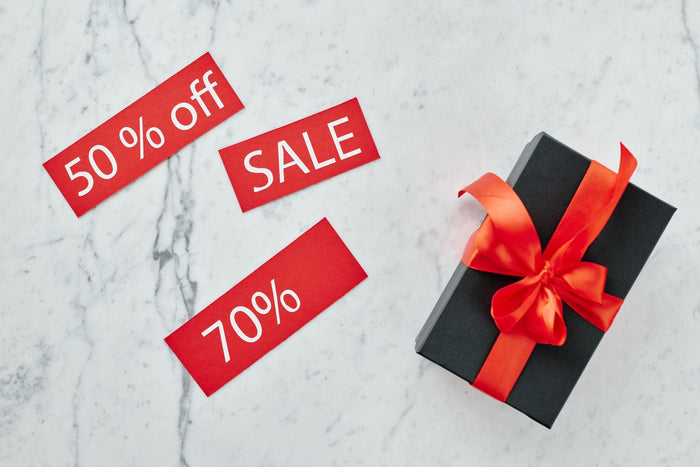
End-of-summer sales can help stores clear seasonal inventory, make room for fall products, and give shoppers a reason to buy before the season changes. The challenge is making the campaign visible without making the store look cheap.
Sale product labels work best when they guide shoppers, not when they cover every product card with loud discount messages. A clear label system can make your promotion easier to scan while still protecting the look and trust of your brand.
This guide shows how to label end-of-summer sale products with better hierarchy, cleaner wording, brand-safe design, and practical rules for when a badge should or should not appear.

Why End-of-Summer Sale Product Labels Look Cheap
Sale labels usually feel cheap when they make every product look urgent, discounted, and equally important.
Too many sale badges flatten the page
When every product has a bright sale badge, shoppers stop seeing the difference between key deals and ordinary markdowns. The collection page becomes visually busy, but not more helpful.
This is especially common during seasonal clearance. A store wants to move inventory quickly, so it adds “Sale,” “Limited Time,” “Low Stock,” and “Final Sale” across too many products at once.
Discount language can overpower product value
A discount badge should support the product, not become the only reason to click. If the first message shoppers see is always the price cut, the store may unintentionally train them to focus on savings instead of fit, quality, style, or use case.
For end-of-summer campaigns, the label should explain why the offer matters now. “End-of-Summer Sale” feels more seasonal and specific than a generic “Hot Deal” badge.
Off-brand colors make promotions feel noisy
Bright red and yellow badges can work for some stores, but they are not automatically the best choice. A premium, minimal, or lifestyle-focused brand may need softer contrast and cleaner placement.
The goal is not to hide the sale. The goal is to make the sale feel intentional, so the badge looks like part of the storefront instead of a sticker placed on top of the product image.
Brand-safe fit: Lavar helps merchants create product badges and labels for discounts, new arrivals, best sellers, and special offers without editing theme code.
Build a Badge Hierarchy Before the Sale Starts
A badge hierarchy helps each label do one job instead of turning every product card into a competing message.
Separate promotion labels from product status labels
Promotion labels explain price or campaign value. Product status labels explain why an item deserves attention outside the discount.
For example, “End-of-Summer Sale” tells shoppers there is a seasonal offer. “Best Seller” tells them other shoppers already trust the product. “New Arrival” tells them the item is fresh, not necessarily discounted.
| Badge Type | Best Use | Example Label |
|---|---|---|
| Promotion | Seasonal markdowns, clearance, bundle offers, sale campaigns. | End-of-Summer Sale |
| Product status | Fresh products, popular items, restocked items, featured picks. | New Arrival, Best Seller |
| Urgency | Real stock or time-sensitive conditions. | Low Stock, Ends Soon |
| Trust | Reducing hesitation before the shopper clicks or buys. | Easy Returns, Size Guide |
Choose one primary message per product
A product can technically qualify for several badges, but only one message should lead. If the product is deeply discounted, the sale label may matter most. If the item is a strong seasonal bestseller, the popularity label may be more useful.
Ask one question before adding a badge: what is the clearest reason this product deserves attention right now?
Keep urgency labels for real urgency
Urgency works only when shoppers believe it. A “Low Stock” badge should be tied to real inventory conditions, not used as a default sales decoration.
For seasonal campaigns, urgency can be honest and helpful when the season is actually ending, sizes are selling down, or the product will not be restocked after summer.
Related reading: For a broader badge strategy, read How to Use Product Badges to Sell More Without Discounting.

How Lavar Helps Keep Sale Labels Cleaner
Lavar fits naturally when merchants want product labels that are visible, flexible, and aligned with the storefront design.
Create discount and promotion badges without code
End-of-summer campaigns often move quickly. A store may need a sale label for a specific collection, a clearance group, or a set of seasonal products without waiting for theme edits.
Lavar lets merchants create product badges and labels for sale messages, discount campaigns, new arrivals, best sellers, and special offers, making it easier to build campaign visibility into the storefront workflow.
Use labels to separate sale from final sale
“Sale” and “Final Sale” should not mean the same thing. A sale label tells shoppers there is a price change, while a final sale label tells shoppers the purchase conditions may be different.
Keeping those labels separate protects the customer experience. Shoppers can quickly see whether they are looking at a standard discount, a seasonal markdown, or an item with stricter return conditions.
Match badge style to the brand palette
The strongest sale labels are noticeable without fighting the theme. With Lavar, merchants can customize badge style, placement, and visual treatment so labels feel consistent with the store’s brand.
That matters most during seasonal promotions because the store may show more badges than usual. A controlled visual system keeps the campaign visible without making the whole page feel overloaded.
Practical fit: Lavar is useful when your team needs to run seasonal promotions, highlight product status, and keep badge design consistent across collection and product pages.
Design Rules for End-of-Summer Sale Badges
Good badge design helps shoppers notice the campaign while still letting the product image, title, and price do their job.
Use seasonal wording instead of generic discount copy
Generic labels like “Hot,” “Deal,” or “Must Buy” can feel vague. Seasonal wording gives the shopper more context and makes the promotion feel intentional.
- Clear: End-of-Summer Sale
- Clear: Summer Clearance
- Clear: Last Chance Summer
- Risky: Crazy Deal
- Risky: Hot Sale
Keep the badge short and the details nearby
A product card badge should be easy to scan. It does not need to explain the full campaign, return policy, or discount logic.
Use the badge for the signal, then place supporting details on the product page or campaign page. This keeps collection pages clean while still giving shoppers enough information before they buy.
Make contrast readable but not aggressive
A badge should be readable on mobile, across different product images, and inside a full collection grid. But readable does not always mean loud.
Try a brand color with enough contrast, a simple border, or a small filled label instead of defaulting to the brightest possible color. The badge should guide attention, not dominate the product.

When Not To Add a Sale Badge
Sometimes the cleanest merchandising decision is removing a badge that does not help the shopper decide.
Do not badge products that are not meaningfully discounted
If the markdown is very small or the offer does not change the buying decision, a sale badge may create more noise than value. Shoppers should feel that a label means something.
Reserve sale product labels for items where the campaign actually changes the product’s appeal, urgency, or availability.
Do not label every product in the collection
If every product in an end-of-summer collection has the same badge, the label may not help shoppers compare. In that case, the collection banner or campaign page copy may be a better place for the message.
Use product-level badges when certain items need extra attention, such as deeper markdowns, last sizes, limited stock, or final sale items.
Do not use a badge to hide unclear pricing
A badge cannot fix confusing pricing. If the sale price, compare-at price, bundle logic, or return condition is unclear, shoppers may still hesitate.
Use the label as a visual cue, then make sure the product page explains the offer in plain language.
A Cleaner Workflow for Seasonal Product Labels
A simple workflow prevents sale labels from becoming inconsistent as products move in and out of the campaign.
Define the label rules before launch
Before adding badges, decide which products qualify. The rule might be based on collection, tag, discount status, seasonal inventory, final sale status, or stock level.
This keeps your team from applying labels manually in a rushed way, especially when the campaign includes many products.
Review collection pages on mobile
Most badge problems become more obvious on smaller screens. A label that looks balanced on desktop may cover too much of the product image on mobile.
Check the first row of collection pages, search results, recommended products, and sale landing pages. These are the places where shoppers decide whether to keep browsing.
Remove or update badges after the campaign
End-of-summer labels should not remain forever. Once the campaign ends, update the badge, remove it, or move products into a different status such as clearance, final sale, or back-in-stock.
A badge system stays trustworthy when shoppers can see that labels reflect the current product condition.
Best fit: Lavar helps merchants build cleaner product-label workflows for seasonal sales, product highlights, and brand-safe storefront messaging.
Related reading: If some sale items are not eligible for returns, read How To Label Final Sale Products Clearly.
Final Thoughts
End-of-summer sale product labels should make seasonal offers easier to understand without making the store feel discount-heavy. The strongest approach is to use a clear badge hierarchy, keep one primary message per product, match badge colors to the brand palette, and use Lavar to manage sale labels in a cleaner, more consistent way.
FAQ
These questions cover common concerns about using sale labels without hurting the store’s brand feel.
Should every discounted product have a sale badge?
No. A sale badge is most useful when the discount changes the shopper’s decision or helps them compare products faster.
What is the best label for an end-of-summer sale?
Clear seasonal labels usually work better than vague urgency copy. Examples include “End-of-Summer Sale,” “Summer Clearance,” or “Last Chance Summer.”
Can Lavar help with different badge types?
Yes. Lavar supports product labels and badges for promotions, discounts, new arrivals, best sellers, and other product highlights.
Read More

