
Shopify Cookie Banner Vs Third-Party Consent Apps
Learn when Shopify's native cookie banner is enough, when a third-party consent app makes sense, and how pixels and consent affect analytics.


Shopify already includes a native cookie banner, so many merchants do not need to install another consent app just to display an Accept or Reject message.
The important question is what happens behind that banner. Shopify's native consent tools manage Shopify-specific cookies and Shopify Pixels, while manually installed third-party cookies, custom pixels, or some app integrations can require additional consent handling.
A third-party banner becomes useful when the store needs more control over tracking technologies, regions, consent categories, or banner UX, but the replacement still needs to communicate the shopper's consent correctly to Shopify and the tools collecting data.

What the Native Shopify Cookie Banner Handles
Shopify's native banner is designed to manage consent for the privacy tools that Shopify controls directly.
It manages Shopify-specific cookies and pixels
Shopify states that its cookie banner governs Shopify-specific tools, including cookies and Shopify Pixels.
When a visitor makes a consent choice in a configured region, Shopify can use that decision to determine whether non-essential analytics, marketing, and personalization processing should occur.
It connects directly with Shopify privacy settings
The native banner is managed from Settings > Customer privacy, where merchants can configure regions, content, appearance, and banner position.
Customers can also revisit their cookie preferences later instead of being locked into the first choice they make.
It can handle regional display automatically
For stores using automated privacy settings, Shopify can configure the cookie banner for visitors in markets such as the UK and EEA when those markets are active.
Merchants can also disable automated settings and choose their own regions manually when their privacy strategy requires a different setup.
Where the Native Banner Has a Boundary
The native banner becomes less straightforward when tracking technology is installed outside Shopify's own consent-aware systems.
Manually installed cookies need separate review
A theme script, tag manager container, custom marketing script, or other manually added code can create cookies that Shopify does not automatically control simply because the native banner is visible.
The merchant needs to confirm that those technologies actually wait for the appropriate consent before collecting non-essential data.
Third-party pixels can change the consent stack
Shopify specifically notes that manually installed third-party cookies or pixels may require a third-party cookie banner or custom logic so they honor customer consent.
The key distinction is not whether the technology belongs to a famous advertising platform; it is whether its implementation is connected to Shopify's privacy signals.
App integrations should not be assumed to behave identically
Some apps use Shopify's pixel and privacy architecture, while other integrations may introduce their own scripts or consent requirements.
Before changing banners, inventory the actual technologies running on the storefront instead of assuming every installed app is already covered.

How Google, Meta and Custom Pixels Change the Decision
Advertising and analytics tools matter because consent must affect what the tracking technology actually does, not only what the banner says.
Google requires consent-aware configuration
Shopify supports Google Consent Mode v2 as part of its privacy ecosystem, and valid consent affects how data from visitors in regions such as the EEA can be used for personalized advertising.
If a store uses a custom Google web pixel or another custom implementation, additional configuration can be required instead of assuming the banner alone handles the full integration.
Meta and other marketing pixels need the same audit
For Meta or another advertising platform, first identify how the pixel was installed.
A Shopify-managed or app-pixel integration can behave differently from a script pasted manually into a theme or tag manager, so merchants should verify whether the implementation reads and respects the store's consent state.
Custom pixels deserve extra attention
Custom tracking often creates the biggest gap between what shoppers see and what actually happens in the browser.
If a developer has created custom analytics, attribution, remarketing, or event tracking, test what fires before consent, after acceptance, after rejection, and after the visitor changes preferences.
What the Customer Privacy API Means for Merchants
The Customer Privacy API is the connection layer that lets Shopify-managed surfaces understand a visitor's consent choices.
It stores consent by purpose
Shopify's Customer Privacy API can represent permissions for purposes such as preferences, analytics, and marketing.
This gives integrations a shared consent state instead of forcing every tool to guess whether the shopper has agreed to tracking.
Pixels can respond to consent changes
Shopify's Web Pixels architecture can use customer privacy information to decide whether a pixel is allowed to operate, and pixels can react when the visitor changes consent.
This is why consent management should be evaluated as an integration problem, not only a banner-design problem.
A third-party banner should stay synchronized with Shopify
If you replace Shopify's native banner with another consent platform, confirm that the tool properly communicates consent to Shopify's Customer Privacy API.
A visually polished banner that stores its own preference but leaves Shopify and other pixels with the wrong consent state is not a complete replacement.
When the Native Shopify Banner Can Be Enough
The native Shopify cookie banner is often sufficient when the store's tracking stack stays close to Shopify's supported privacy architecture.
Your tracking setup is relatively simple
If the store mainly relies on Shopify features and privacy-aware pixels rather than manually inserted tracking scripts, adding another consent layer can create complexity without solving a new problem.
Start by understanding the existing stack before assuming a dedicated consent app is necessary.
Your regional needs fit Shopify's controls
Shopify lets merchants select where the banner appears and can automatically configure relevant regions based on active markets.
If those regional controls match the store's requirements, the native experience may already provide the necessary foundation.
You do not need more detailed banner UX
Some stores simply need a clear consent message, preference controls, regional configuration, and a privacy-policy link.
When that is the complete requirement, the native banner can be simpler to maintain because consent remains inside Shopify's own privacy system.
When to Consider a Third-Party Consent App
A third-party consent app becomes more useful when the store needs capabilities beyond the native banner's practical scope.
You run manually installed tracking technologies
If the storefront contains manual analytics scripts, marketing pixels, tag-manager deployments, or other non-Shopify tracking, a dedicated consent setup can help coordinate those technologies.
The important requirement is that the consent tool controls or informs the scripts rather than merely displaying a banner.
You need more granular consent UX
Some merchants want visitors to manage separate categories such as strictly required, personalization, analytics, and marketing cookies.
Lavar's GDPR Cookie Banner currently supports configurable consent actions and cookie categories, along with regional display controls and customizable banner styling.
You need more control over presentation
A consent banner is often the first interface an international visitor sees, so design can matter for stores with strong visual branding.
Lavar allows merchants to configure elements such as banner layout, position, colors, actions, privacy-policy links, and preference content without editing theme code.
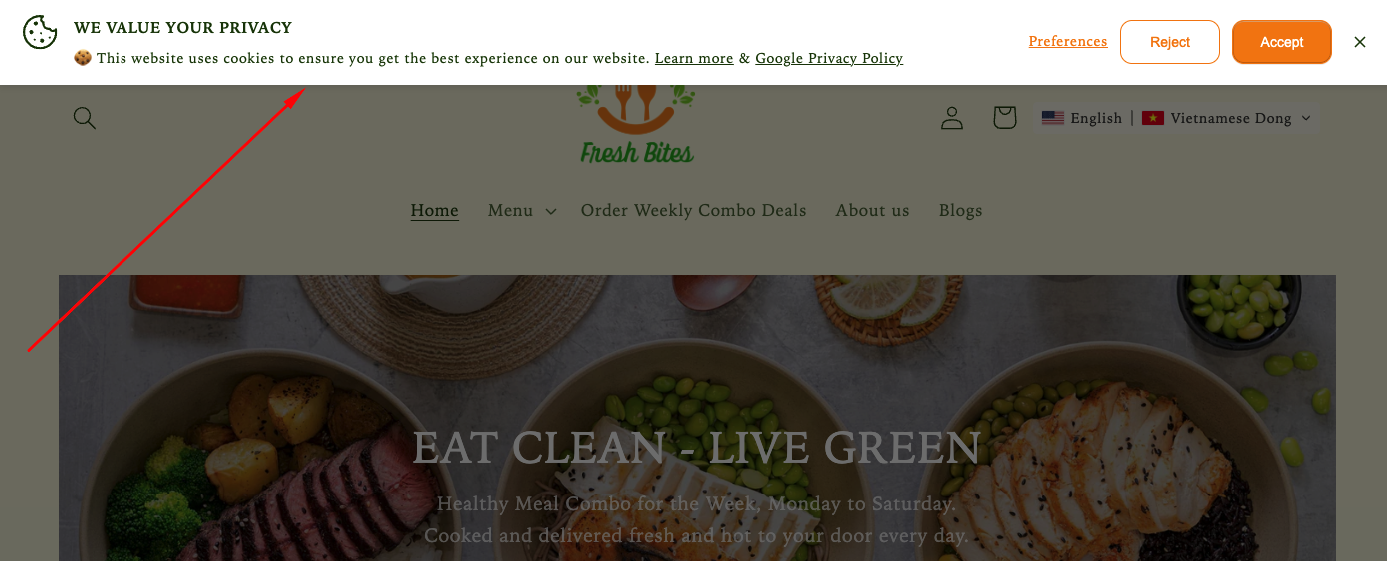
Important: When replacing Shopify's native banner with any third-party consent tool, verify that the tool's consent handling is correctly synchronized with Shopify and every tracking technology used by the store.
How Regional Cookie Banner Setup Should Differ
International stores should configure consent around applicable markets and technologies rather than automatically displaying one identical experience worldwide.
UK and EEA visitors commonly need opt-in handling
Shopify's automated privacy settings can enable cookie-banner behavior for active UK and EEA markets, where non-essential data collection is generally handled on an opt-in basis within Shopify's privacy configuration.
Merchants should still review their own legal obligations because Shopify's automated settings are not a substitute for legal advice.
Other markets can use different privacy mechanisms
Outside regions configured for opt-in cookie consent, Shopify does not necessarily show the banner by default.
Some markets can involve different privacy controls, including data-sharing opt-outs, so a merchant should not assume that copying an EEA banner configuration globally is always the right implementation.
Regional configuration should match the real stack
The final setup depends on where customers are located, which markets the store actively serves, and what analytics or advertising technologies are running.
Related reading: See Do Shopify Stores Need a Cookie Banner in Every Market? for a broader regional consent framework.
How Consent Changes Analytics Data
Correct consent handling can reduce measured data because some visitors will not permit non-essential tracking.
Fewer tracked sessions can be expected
Shopify notes that when a cookie banner is active in regions requiring consent, non-essential data is collected only after the visitor provides the relevant permission.
As a result, session counts and other analytics metrics can appear lower than they would in a setup that collects non-essential tracking from every visitor.
Conversion reporting can also look different
Consent can affect analytics, attribution, marketing, and personalization data, so reporting discrepancies do not automatically mean the banner is broken.
Merchants should distinguish between a technical tracking failure and data that is intentionally unavailable because the shopper declined consent.
More tracking is not the goal
The objective of consent configuration is not to maximize the number of visitors that can be measured.
The goal is to make the store's actual tracking behavior match the customer's choice while preserving as much useful measurement as the permitted setup allows.
Checklist Before Replacing the Native Banner
Audit the tracking stack before removing Shopify's native cookie banner so the replacement does not create hidden consent gaps.
Inventory every tracking technology
- Shopify Pixels
- App Pixels
- Custom Pixels
- Google tags
- Meta or other advertising pixels
- Theme scripts
- Tag manager containers
- Apps that create cookies or tracking events
Map each tool to a consent purpose
Identify whether each technology is required for store operation or used for preferences, analytics, marketing, advertising, or another non-essential purpose.
This makes it easier to decide which technologies should respond to each consent choice.
Test every consent state
Test a new visitor before making a choice, then test Accept, Reject, category-level preferences, preference changes, multiple regions, and relevant mobile devices.
Do not remove the native banner until the replacement has been tested against the technologies that actually run on the store.

Final Thoughts
The Shopify cookie banner can be enough when a store mainly uses Shopify-managed privacy tools and consent-aware pixels, while a third-party cookie consent app becomes more useful when manually installed tracking, granular cookie categories, regional customization, or more advanced consent UX enters the stack; whichever option you use, the visitor's choice must control the underlying tracking behavior rather than only changing what the banner looks like.
FAQ
Do I need a cookie consent app if Shopify already has a banner?
Not necessarily. If Shopify's native privacy controls cover your tracking technologies and regional requirements, an additional app may add little value.
Does Shopify's native cookie banner control third-party pixels?
Not automatically in every implementation. Shopify says manually installed third-party cookies or pixels may require a third-party banner or custom logic so they honor customer consent.
What should I check before using a third-party Shopify cookie banner?
Confirm that it manages the consent categories you need, covers the right regions, controls your third-party tracking, and synchronizes the visitor's decision with Shopify's Customer Privacy API where required.
Read More


